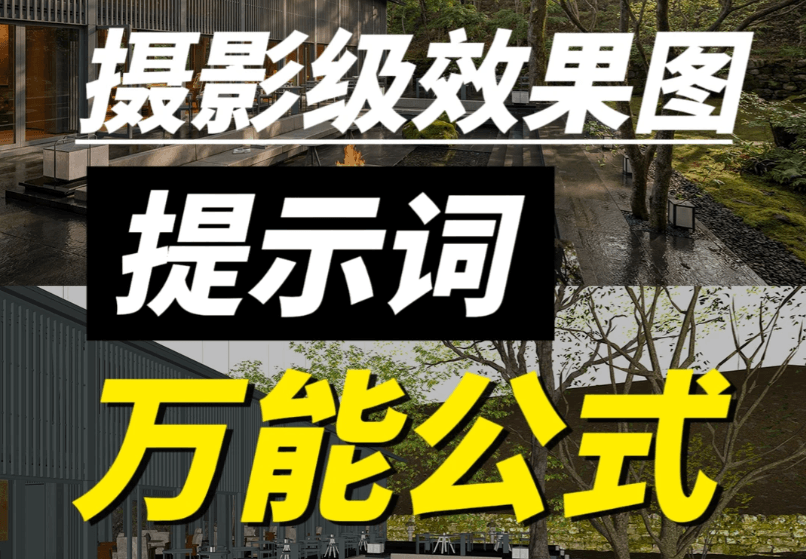
Nano Banana के लिए फोटोरियलिस्टिक रेंडर प्रॉम्प्ट फॉर्मूला
क्या आप अभी भी AI रेंडर re-roll करके भाग्य आज़मा रहे हैं? मॉडल स्क्रीनशॉट साफ दिखता है, पर आउटपुट हमेशा एक कदम पीछे। आज हम फोटोरियलिस्टिक रेंडर प्रॉम्प्ट यूनिवर्सल फॉर्मूला समझाते हैं—Nano Banana, Midjourney या Stable Diffusion—आप लगातार top-tier होटल मार्कeting जैसी वास्तविक फोटो पा सकते हैं।
आपके AI रेंडर बार-बार क्यों चूक जाते हैं
कई डिज़ाइनर एक ही जाल में फँसते हैं: SketchUp या 3D स्क्रीनशॉट AI में डालें, लंबा पैara लिखें—तो मुड़े कोण, गलत मटीरियल या बिल्कुल गलत mood। मूल कारण: बिना professional photography logic के असंरचित प्रॉम्प्ट।
AI मन नहीं पढ़ता। आपको फोटोग्राफर की तरह निर्देश देना होगा: लेंस, लाइट, सीज़न, emotion। नीचे की फॉर्मूला real architectural और landscape photography logic पर है। Nano Banana जैसे आसान टूल के साथ भी brackets सही भरने से pro परिणाम जल्दी मिलते हैं।
यूनिवर्सल फॉर्मूला (कॉपी करें, [brackets] बदलें)
इस 3D मॉडल स्क्रीनशॉट को top architectural और landscape photographer द्वारा ली गई वास्तविक फोटो में बदलें, professional lens settings और shooting technique के साथ; overall mood global [luxury hotel] landscape जैसा हो;

फोटो original screenshot के scale, object placement और landscape design के अनुसार generate करें। camera angle, size, proportions या design elements न बदलें;

Scene requirements:
1. Weather: [weather]; lighting mood: [lighting effect];
2. Season: [season]; time of day: [time];
3. Camera angle: [shooting angle];
4. Atmosphere: [overall scene atmosphere description];
5. Scene details: [scene detail description];
6. Camera gear and image character: [camera and texture description];
7. Realism enhancement: [material detail requirements].
फॉर्मूला की मुख्य logic
Anchor first: मॉडल स्क्रीनशॉट को locked layout मानें। AI केवल render enhance करे—reframe नहीं। यह warped perspectives ठीक करता है।
Layered control: macro (weather / season / time) से micro (materials / gear) तक, ताकि model freestyle न करे।
Atmosphere wins: item 4 सबसे critical। concrete imagery—जैसे «quiet dusk light on infinity pool, layered mountains, swaying coconut palms»—«nice» या «premium» नहीं।
Practical tips: [brackets] कैसे भरें
Photography jargon में weak? यह foolproof workflow:
- अपना model screenshot GPT (या Doubao या कोई mainstream chat AI) में upload करें।
- नीचे instruction ऊपर की फॉर्मूला के साथ paste करें:
I need to turn the uploaded model screenshot into a photorealistic scene with Nano Banana. Write a complete prompt for me, enrich scene details and mood, follow my format exactly, and replace every [bracket] based on what you see in the image. Format: (paste the universal formula)Assistant पूरी structured prompt—weather, light, season, angle, atmosphere, camera model, material notes—automatically देगा।
Depth of field या golden hour याद रखने की जरूरत नहीं। परिणाम Nano Banana image-to-image में paste करें—stability तुरंत बढ़ेगी।
Advanced: items 5, 6, 7 कब use करें
Item 5 (scene details): जब signature structures, water, paving या planting clearly read होने चाहिए।
Item 6 (camera gear): Hasselblad medium-format richness या Sony mirrorless crispness specific look के लिए; वरना omit।
Item 7 (material boost): «stronger glass reflections» या «subtle stone micro-texture» realism एक level ऊपर।
Daily speed runs: items 1–4 + layout lock = 80+। Bids/client decks: सभी seven। Tests में Nano Banana full seven-item prompt dedicated render engines से compare।
Before/after: model screenshot से hotel-grade reality
किसी ने Nano Banana के साथ resort pool scene पर यह फॉर्मूला use किया—
- Input: Clay model screenshot—no materials, no lighting.
- Prompt: «Summer evening, golden sunset, low-angle shot, sparkling water, dappled tropical plant shadows, Canon 5D Mark IV with 24-70mm lens, enhanced pool mosaic texture.»
- Output: Brochure-ready photography—rich light, believable materials, strong mood, model जैसा exact same camera angle। No crop fixes.
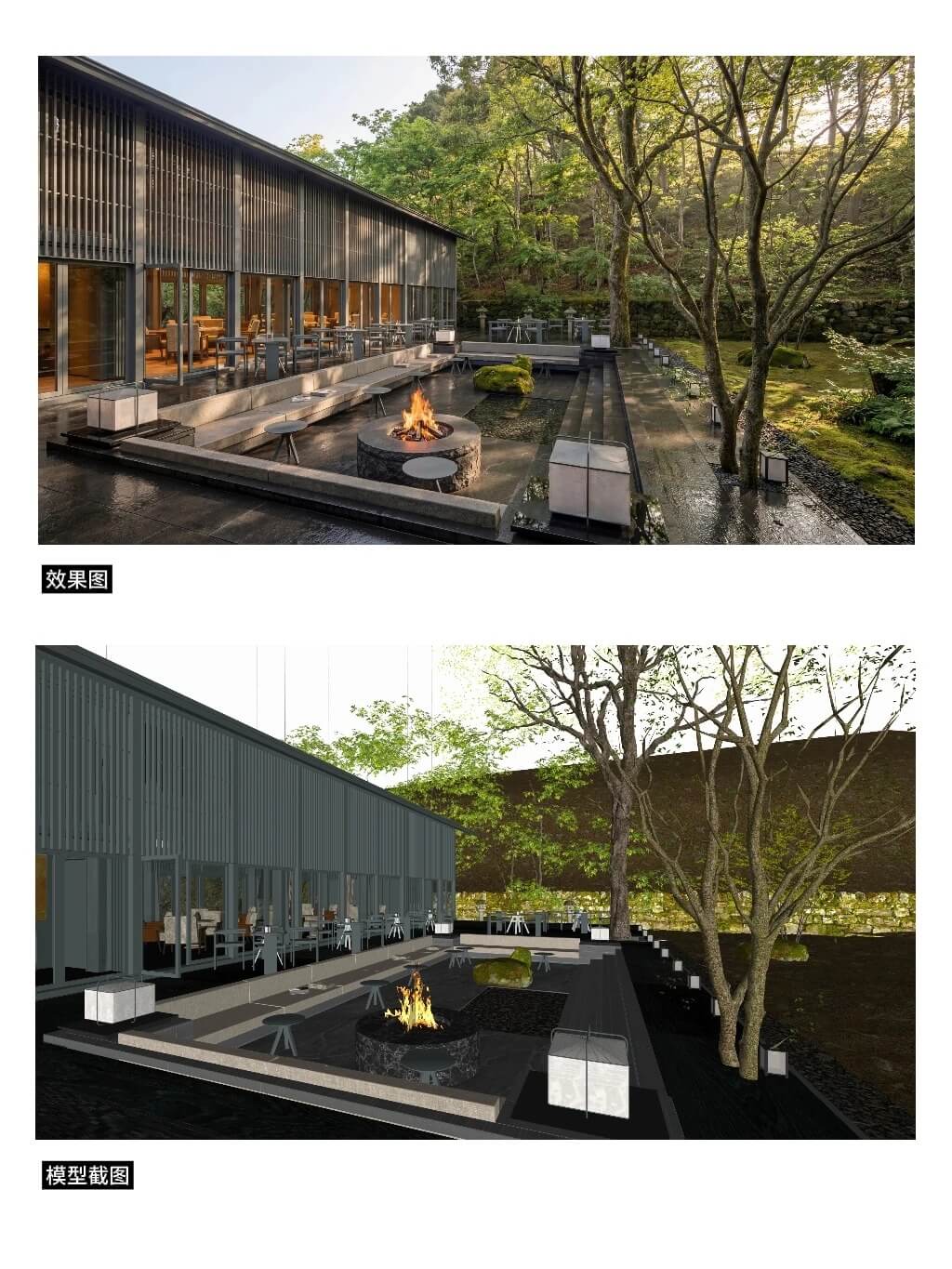
No re-rolling. One structured pass. Nano Banana + locked prompt workflow की efficiency।
निष्कर्ष: AI को staff photographer बनाएं
यह फॉर्मूला standardized pipeline है। fuzzy «beauty» को measurable parameters में बदलकर AI photographer-grade work reproduce करता है। Architects, landscape designers, interior viz pros Nano Banana से faster ship कर सकते हैं।
अगली बार AI tool खोलने से पहले सात brackets भरें—«gambling» गायब।
FAQ
Q: क्या यह फॉर्मूला केवल Nano Banana के लिए?
A: Structure Midjourney, Stable Diffusion और similar tools पर काम करती है। हम Nano Banana focus करते हैं क्योंकि image-to-image composition और materials reliably anchor करता है।
Q: «camera angle न बदलें» क्यों?
A: Screenshot layout और proportion lock करता है। यह constraint AI को buildings reframe या landscape shift करने से रोकता है—endless re-roll का main reason।
Q: हमेशा सात items?
A: नहीं। Quick drafts: 1–4 + layout lock। Pitches/marketing: सभी seven higher material/tonal ceiling के लिए।