部落格文章
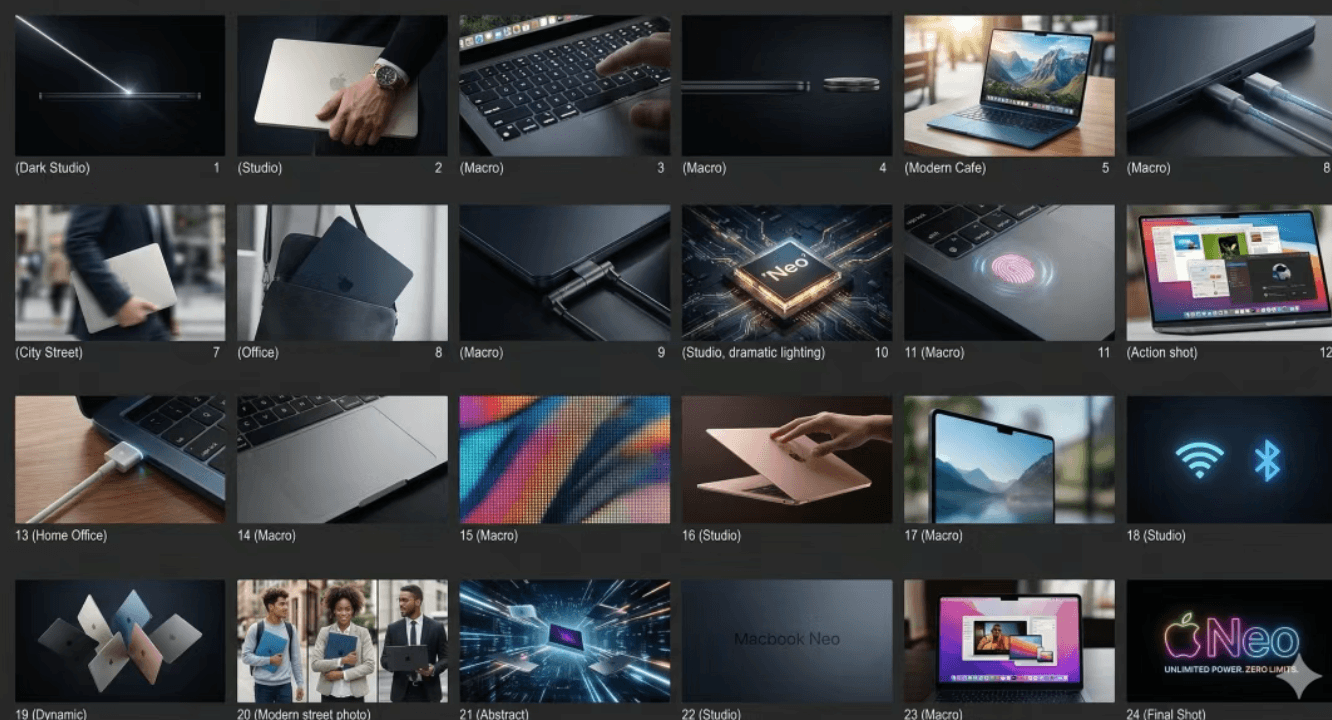
把 Nano Banana 當「設計助理」用:一口氣做分鏡、批量精修、適配多尺寸
作者 Nano Banana Team •
從nanobanana2獲取價值的最快方法是將其視為設計助手:你寫一份簡報,它起草選項;你檢討,它修正;您要求新的尺寸,它會適應。對於電子商務和內容製作來說,這可以大幅提高創意吞吐量。
1) 一次生成故事板(簡單→回顧)
對於登陸頁面和廣告,您不想「編寫提示」 - 您想要描述要求:
- 你賣什麼(關鍵區別)
- 適合誰(角色+痛點)
- 有多少幀(12 / 24 / 48)
可複製的提示(網格故事板):
Generate a [24]-frame advertising storyboard grid for [PRODUCT].
Requirements: photoreal; multiple scenes (indoor/outdoor/close-ups/usage);
highlight selling points: [P1] / [P2] / [P3];
consistent tone: clean, premium, modern; sharp details.
Output: HD.
2) 大量修飾:讓 100 張影像看起來像一張攝影棚拍攝的照片
真正的勝利不是修飾一張圖像,而是使 20 個 SKU × 5 個圖像具有相同的外觀。鎖定這些:
- 背景(乾淨的工作室)
- 邊緣(清晰)、材質(優質)、反射(乾淨)
- 陰影方向和強度
- 顏色一致性
可複製提示(批量修飾):
Batch-retouch the uploaded product images into one consistent style:
clean light-gray studio background; keep product proportions unchanged;
sharper edges; premium material texture without over-smoothing;
clean reflections; consistent shadow direction and strength; consistent color.
Do not alter product details or structure.
3) 廣告活動的多尺寸適配
大多數活動需要多個比率:
- 1:1 和 4:5(飼料)
- 16:9(横幅)
- 8:1(超寬廣告素材)
可複製的提示(擴展/適應比例):
Extend and adapt this creative to [8:1].
Constraints: do not distort or crop key subject; extend background naturally;
keep copy readable; keep brand palette and hierarchy unchanged.
4) 稳定的三遍生产循环
为了获得最佳稳定性:
- 第 1 关:布局和构图
2)第2遍:纹理/灯光/抛光 - 第 3 步:精確複製、標誌放置、最終比例
5)總結
當你的提示讀起來像一個簡介,而你的迭代讀起來像複習筆記時,nanobanana2 的行為就像一個隊友,而不是一個玩具。