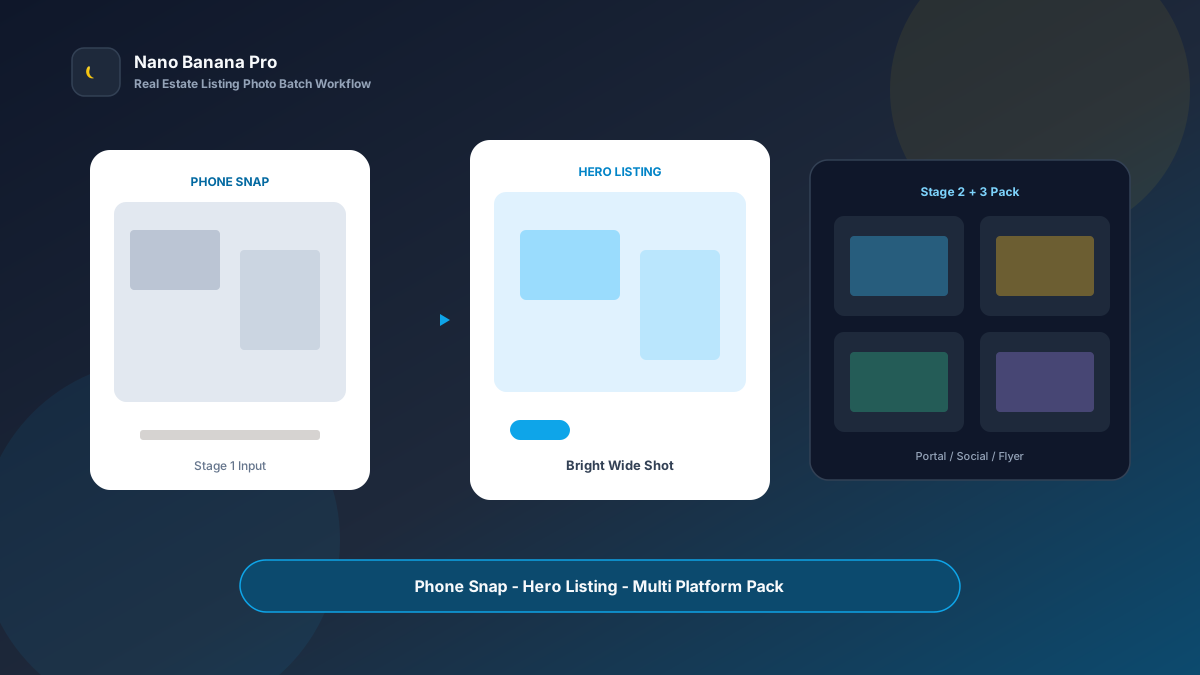
Nano Banana Pro Real Estate Listing Photo Batch Workflow
Listing launches fear one thing most: photos that drag conversion down. Phone snaps look gray and cluttered; photographers book into the weekend; portals, social feeds, and flyers each need different sizes. Before conversion even starts, the listing loses on first impression. Nano Banana Pro with Nano Banana img2img turns “one set of phone snaps + three template prompts” into a replicable real estate listing photo enhancement batch workflow: make a bright hero first, then batch-extend room galleries and multi-platform sizes. This article covers the full SOP.
Why Listing Photos Must Prioritize the Hero, Then Room Galleries?
Many agents “reroll” every room separately, so the living room runs cool, the bedroom overexposes, and the bathroom looks like a different unit. Buyers suspect a collage. The scientific approach is to lock one bright, spacious portal hero (Hero Listing) as the visual anchor, then copy the same lighting and tidying logic across the full home.
Nano Banana Pro builds on the fast generation experience of Nano Banana and suits commercial listings that need stable spatial perspective, real materials, and unified brightness. Split the flow into three steps—hero brightening → room series extension → portal/social/flyer size pack—and you batch-list like an assembly line.
Workflow Overview: One Hero, Three Output Types
Follow strict order: after the hero is signed off, all room and channel images carry similar lighting and tidiness so the listing style does not split. The three prompt templates below can be copied into Nano Banana or Nano Banana Pro—replace [brackets] with your listing details.
| Stage | Output Type | Typical Use | Core Constraints |
|---|---|---|---|
| 1 | Portal hero Hero Listing | List cover, first image | Bright, spacious, structure stays true |
| 2 | Room series images | Detail-page gallery | Unified lighting, recognizable spaces |
| 3 | Multi-platform size pack | Portal / social / flyer | Compliant ratios; selling points preserved |
Stage 1: Portal Hero (Listing Click-Rate Anchor)
Use for: resale/rental listings, short-stay hero shots, new-build model-unit key visuals.
Key steps
- Pick the most representative phone snap from the living room or exterior as the reference.
- Generate a 4:3 or 16:9 bright hero: brighten, declutter, keep real floor-plan structure.
- Archive with a version name (e.g.
listing-hero-living-v1.png) as the whole-home style reference.
Based on the uploaded real estate phone photo, generate a portal listing hero image: room [living room / exterior / model unit] with stable composition; forbid changing wall, door, and window proportions or major furniture placement;

Brighten to [natural window light / crisp daytime light], neutral-warm white balance, remove messy cables and floor stains;
Keep real spatial perspective and materials (hardwood floors, sofa fabric clearly visible), avoid over-HDR plastic look;
Quality suitable for real estate portal hero images, tone consistent with Nano Banana real estate visual standards: bright, spacious, trustworthy.
Pro tip: State clearly “do not change wall and door/window proportions,” or AI may stretch small units and trigger complaints. In Nano Banana Pro, img2img from real photos keeps structure far more stable than pure txt2img.
Stage 2: Room Series Extension (Unified Detail Gallery)
After the hero sets the tone, batch by flow: living room, primary bedroom, secondary bedroom, kitchen, bath, balcony.
Based on the uploaded hero listing lighting style, process this new room phone photo into a matching listing detail image: keep [crisp daytime light + neutral-warm white balance], room [room type] clearly identifiable;

Requirements: consistent with hero style; forbid a new filter on every shot; light tidying (smooth bedding, clean countertops), do not invent luxury finishes that do not exist;
Composition [horizontal correction / mild wide-angle without distortion], suitable for **Nano Banana Pro** batch listing album production.
Nano Banana multi-turn dialogue works well for micro-fixes: “brighten the window area more” or “remove the shooter reflected in the mirror”—faster than rewriting the full prompt. Fix gallery order to raise browse completion:
- Hero: living room or exterior
- Primary / secondary bedroom
- Kitchen / bathroom
- Balcony / common area / layout highlights
Stage 3: Multi-Platform Size Pack (Portal, Social, Flyer at Once)
After listing images are locked, extend channel specs—avoid re-cropping per platform and cutting off selling points. Prepare at least these per unit:
- 4:3 / 1:1: portal listing and detail pages
- 4:5 / 9:16: social discovery and short-video covers
- 16:9 landscape: flyer / email header / display screen
Based on the uploaded listing hero, adapt to [target ratio: 4:3 / 1:1 / 4:5 / 9:16 / 16:9] real estate placement size;

Strictly preserve spatial structure, furniture placement, and bright tone; only adjust crop and whitespace by ratio;
[9:16 only] keep key furniture and windows clear of the bottom 15% copy zone;
[16:9 only] preserve left-right spatial depth; avoid cropping into a cramped close-up;
Output ready for portals and social, style consistent with Nano Banana real estate standards.
Brand Consistency: Many Units Must Not Look Like Different Agencies Shot Them
The most common batch-listing failure is a new color temperature on every unit. When building team libraries in Nano Banana Pro, lock these habits:
- Same white-balance line: e.g. all “neutral-warm daytime light”
- Same tidying standard: clear countertops, smooth bedding, no floor clutter
- Fixed suffix line: “Consistent with Nano Banana real estate visual standards: true structure, bright and trustworthy, no over-beautification”
For “before/after renovation” sets, label Before/After clearly and archive original phone snaps for verification to avoid compliance risk.
Batch Checklist (Countdown to the Listing Window)
Count backward from the listing window:
| Day | Task | Tool |
|---|---|---|
| D-3 | List shoot checklist per unit (living/bed/bath/kitchen) | Sheet |
| D-2 | Phone-shoot full home (daytime window light preferred) | Phone |
| D-2 | Generate portal hero (Template 1) and lock the look | Nano Banana Pro |
| D-1 | Batch room series images (Template 2) | Nano Banana Pro |
| D-1 | Extend portal/social/flyer sizes (Template 3) | Nano Banana |
| D-0 | Upload to portal and sync social discovery posts | Ops |
Efficiency reference: Once fluent, a 2-bedroom unit yields about 8–12 finished images and a first draft in half a day. Teams using Nano Banana Pro shared templates also reduce brand fracture from agents applying their own filters.
Case Study: Neighborhood Agency Listed Three Rentals in 48 Hours
A neighborhood agency needed three rental listings live before the weekend; no photographer slot was available.
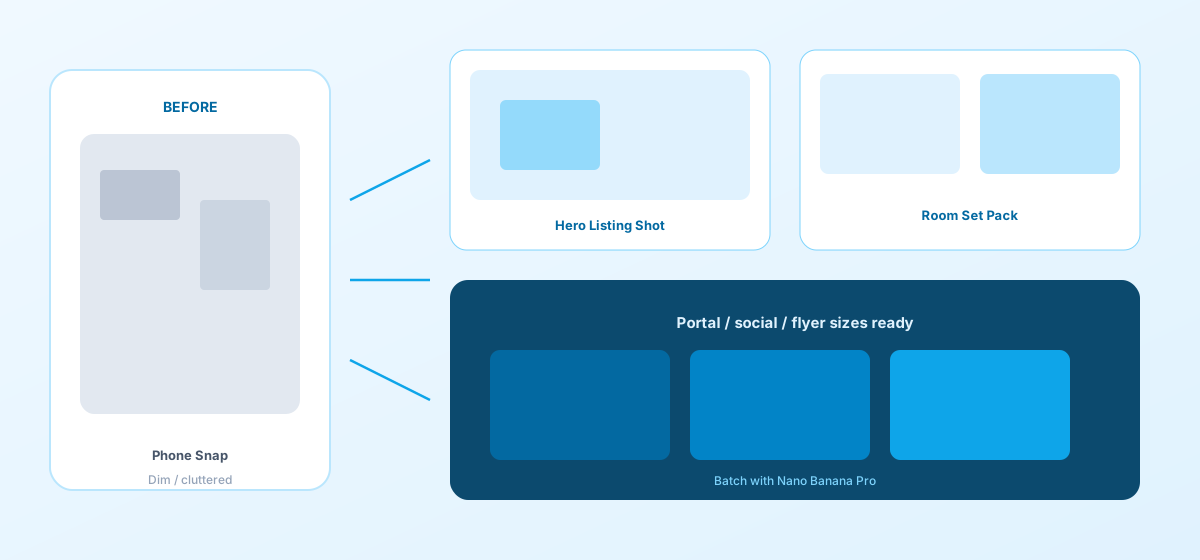
- Input: ~15 phone snaps per unit (dark, cluttered)
- Step 1: Stage 1 template made a living-room hero—brightened window light and cleaned floor clutter feel
- Step 2: Processed bedrooms, kitchen, and baths under the same lighting
- Step 3: Extended 1:1 portal images and 4:5 social crops
- Output: Upload-ready asset pack, entire pipeline in Nano Banana
Agent feedback: listing CTR rose clearly versus old photos; on-site clients rated “matches the photos” better; production cost was far below rush external shoots. Structured prompts + stable Nano Banana Pro img2img let the sales team spend time on showings and deals—not waiting on shoot slots.
Conclusion: Keep Trust in Reality, Put Imaging on the Workflow
Real estate competition is about hero click-through and on-site trust. When listing photos shift from “wait for the photographer” to “hero + template extension,” teams grab listing windows faster. Nano Banana Pro and Nano Banana fit as the execution engine for this real estate SOP—not faking luxury, but helping real spaces be seen more clearly.
After your next listing intake, lock the hero first, then open the three templates—you will find batch listing imaging in Nano Banana as clear and controllable as a showing route map.
FAQ
Q: Will AI over-beautify the home and trigger complaints?
A: Always keep the live photo as reference and state “do not invent finishes or square footage that do not exist.” Archive originals alongside marketing images; Nano Banana Pro img2img stays closer to the site than pure txt2img.
Q: Small units get stretched—what then?
A: Emphasize in the prompt “do not change wall, door, and window proportions or perspective.” Spot-check during the hero stage, then batch room images after sign-off.
Q: How should Nano Banana and Nano Banana Pro divide work?
A: Nano Banana Pro for hero sign-off and high-demand spatial brightening; Nano Banana for series extension and size micro-fixes. Templates are shared—pick the entry by account access.