Nano Banana Pro Music Album Cover & Single Art Batch
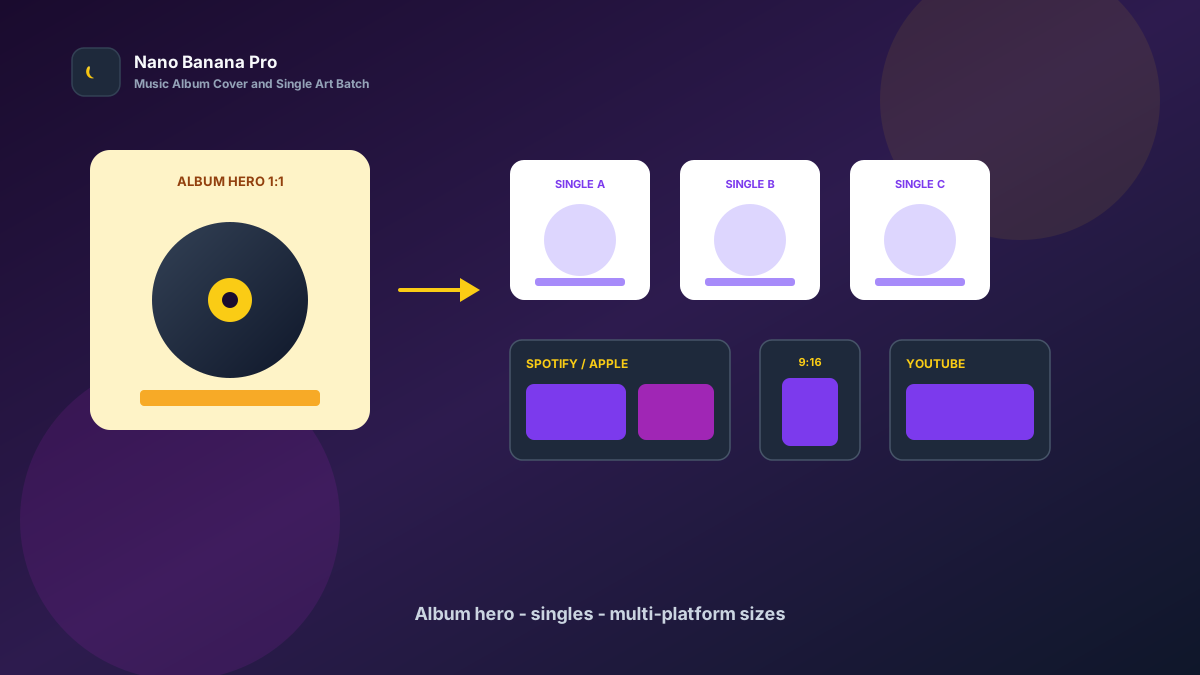
Album launches fear one thing most: strong songs dragged down by weak covers. The hero composition feels loose, single artworks clash in style, and Spotify / Apple Music / short video need different ratios. Listeners swipe past in the list before they hit play. Nano Banana Pro with Nano Banana img2img turns “one concept reference + three template prompts” into a replicable music album cover and single-art batch workflow: lock the album hero look first, then batch-extend single variants and multi-platform sizes. This article covers the full SOP.
Why Music Visuals Must Set the Cover Tone First, Then Layer Singles?
Many indie artists “reroll” every asset alone, so the album cover feels cold, the lead single goes warm, and the teaser vertical uses yet another filter. Listeners suspect a patchwork campaign. The scientific approach is to lock one high-recognition album hero (Album Hero) as the visual anchor, then copy the same palette, lighting, and typography whitespace across every single image.
Nano Banana Pro builds on the fast generation experience of Nano Banana and suits commercial promo cases that need strong person/symbol consistency, clear text safe zones, and readability for both print and digital. Split the flow into three steps—cover tone-setting → single-series extension → streaming/social/short-video size pack—and you ship like a label assembly line.
Workflow Overview: One Hero, Three Output Types
Follow strict order: after the album hero is signed off, all single and channel images carry similar color temperature and composition language so the playlist wall does not split. The three prompt templates below can be copied into Nano Banana / Nano Banana Pro—replace [brackets] with your album details.
| Stage | Output Type | Typical Use | Core Constraints |
|---|---|---|---|
| 1 | Album hero Album Hero | Spotify/Apple album page, physical sleeve | Strong 1:1 recognition; safe text zones |
| 2 | Single / teaser visuals | Single pages, playlist covers | Unified style; tracks distinguishable |
| 3 | Multi-platform size pack | Streaming / social / short video | Compliant ratios; subject not cropped |
Stage 1: Album Hero (Playlist-Wall Click-Rate Anchor)
Use for: Spotify / Apple Music / NetEase Cloud album heroes, physical CD/vinyl sleeves, press kit images.
Key steps:
- Pick the most representative concept sketch, mood board, or artist portrait as the reference.
- Generate a 1:1 hero: lock the main palette and subject framing, reserve title/artist safe zones.
- Archive with a version name (e.g.
album-hero-midnight-v1.png) as the full-album visual reference.
Based on the uploaded concept reference, generate a music album hero: style [indie pop / electronic / folk / hip-hop], stable composition, subject [artist half-body / symbol object / scene] centered slightly high;

Lock palette to [deep blue + amber / black-gold / soft mist pink], lighting [soft studio / neon night / natural window light];
Reserve the bottom 18% and upper-right corner as title and artist-name safe zones; forbid packing key details into text areas;
Quality suitable for streaming album pages and print previews, tone consistent with Nano Banana music visual standards: strong recognition, clickable, series-extendable.
Pro tip: State clearly “palette lock” and “text safe zones,” or AI may push faces or symbols to the edge so titles crush them on publish. In Nano Banana Pro, img2img from a reference keeps person/symbol stability far higher than pure txt2img.
Stage 2: Single-Series Extension (Unified Playlist and Teaser Tone)
After the hero sets the tone, batch by release rhythm: lead single, second single, teaser cards, lyric-card backgrounds.
Based on the uploaded album-hero palette and lighting, process this new reference into a same-album single visual: keep [same palette + same lighting], track theme [night drive / confession / retro dance] distinguishable;

Requirements: match the hero style; forbid a new filter on every image; slight composition changes (crop/symbol swap) without changing artist recognition features;
Composition [1:1 centered / slight left bias], suitable for **Nano Banana Pro** batch single-page and playlist-cover production.
Nano Banana multi-turn dialogue works well for micro-fixes: “warmer color temperature,” “larger symbol,” “cleaner safe zone”—faster than rewriting the full prompt. Fix single order to lift series recognition:
- Album hero: full-album recognition anchor
- Lead single: micro-variation of main symbol or scene extension
- Follow-up singles: same palette, different props/moods
- Teaser / lyric cards: more whitespace for overlay type
Stage 3: Multi-Platform Size Pack (Streaming, Social, Short Video at Once)
After album and single art is locked, extend channel specs—avoid re-cropping per platform and cutting off faces or core symbols. Prepare at least these per release:
- 1:1: Spotify / Apple Music / NetEase Cloud album and singles
- 16:9 / 4:5: YouTube covers, press horizontals, social seeding
- 9:16: short-video covers, Stories, vertical feed
Based on the uploaded album hero, adapt to [target ratio: 1:1 / 16:9 / 4:5 / 9:16] music promo size;

Strictly preserve main palette, subject recognition points, and clean tone; only adjust crop and whitespace by ratio;
[9:16 only] keep face and core symbols clear of the bottom 18% subtitle/button zone;
[16:9 only] keep left-right atmosphere depth; avoid cropping into a cramped close-up;
Output ready for streaming and social, style consistent with Nano Banana music standards.
Brand Consistency: One Album Must Not Look Like Three Different Labels
The most common batch music-visual failure is a new color temperature on every single. When building label / artist libraries in Nano Banana Pro, lock these habits:
- Same palette line: e.g. all “deep blue + amber highlights”
- Same safe-zone rules: reserve bottom and corners for overlay type
- Fixed suffix line: “Consistent with Nano Banana music visual standards: strong recognition, unified series, no over-noise”
For “concept sketch vs final” comparisons, clearly label Before/After and keep verifiable original references for rights and partner review.
Batch Checklist (Countdown to Release Day)
Count backward from release day:
| Day | Task | Tool |
|---|---|---|
| D-7 | Lock album concept, palette, and artist references | Sheet / mood board |
| D-5 | Generate album hero (Template 1) and lock the look | Nano Banana Pro |
| D-4 | Batch lead and follow-up single visuals (Template 2) | Nano Banana Pro |
| D-3 | Extend streaming / social / short-video sizes (Template 3) | Nano Banana |
| D-2 | Type overlay export and per-platform spec QA | Design tools |
| D-0 | Publish to streaming and sync short-video teaser | Promo |
Efficiency reference: Once fluent, one album yields about 8–15 finished frames (cover + singles + size pack); first drafts can finish in 1–2 days. Teams using Nano Banana Pro shared templates also reduce label fracture from designers applying their own filters.
Case Study: Indie Label Ready a Full EP Visual Pack in 72 Hours
An indie label needed a four-track EP live on Friday; the freelance designer had a scheduling conflict, and old art looked dark on mobile playlist walls with inconsistent single styles.
- Input: 6 mood-board frames + 4 artist portraits (uneven lighting)
- Step 1: Stage 1 template made a deep-blue + amber hero with title safe zone
- Step 2: Extended three singles with micro composition changes in the same palette
- Step 3: Extended 16:9 press art and 9:16 short-video covers
- Output: Type-ready upload pack, entire pipeline in Nano Banana
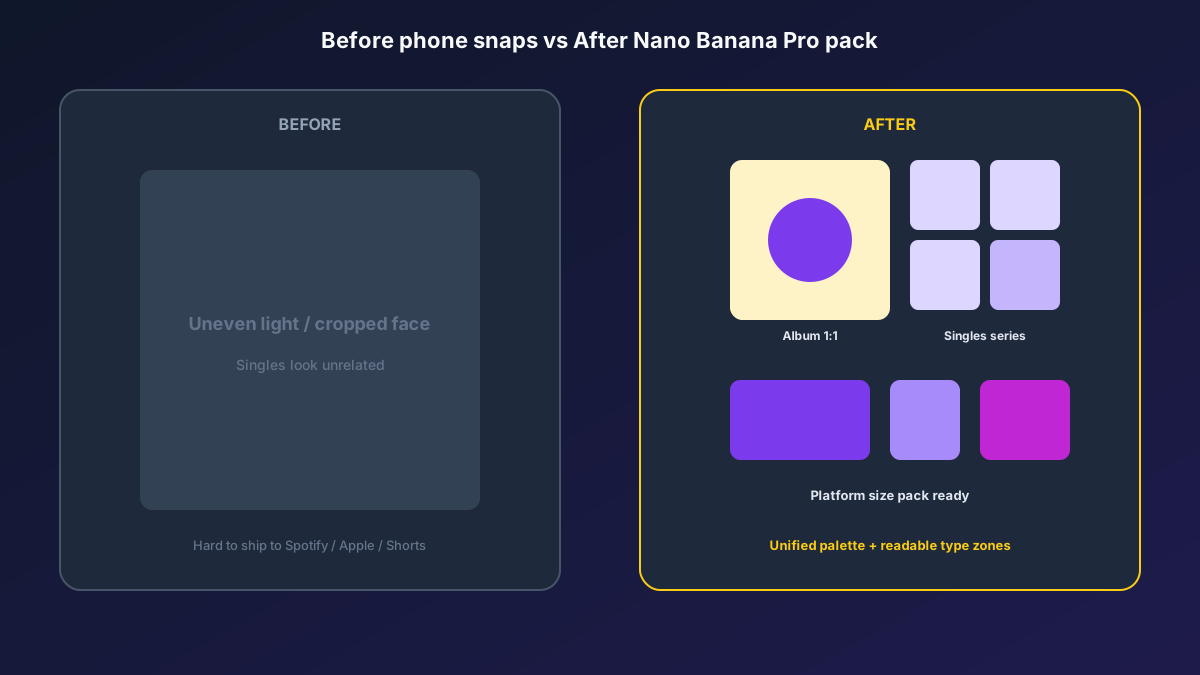
Label feedback: playlist-wall CTR rose clearly versus old art; fans said “you can spot this EP at a glance”; production cost was far below rush freelancers. Structured prompts + stable Nano Banana Pro img2img let promo spend time on placements and playlist ops.
Conclusion: Leave Memory to the Music, Leave Imaging to the Workflow
Streaming competition is about cover clicks and series memory. When album visuals shift from “wait for a designer slot” to “hero + template extension,” labels catch release windows faster. Nano Banana Pro and Nano Banana fit as the execution engine for this music SOP—not random face swaps, but helping concepts be seen more clearly and extended more stably.
Before your next album, lock the hero first, then open the three templates—you will find music batch imaging in Nano Banana as clear and controllable as a tracklist.
FAQ
Q: Will the artist face look too fake and upset fans?
A: Always keep portrait references and state “do not change artist recognition features.” Archive finals with original references for review; Nano Banana Pro img2img stays closer to the person than pure txt2img.
Q: Titles crush key symbols after publishing—what then?
A: Emphasize in the prompt “reserve text safe zones.” Spot-check more with type overlays at the hero stage; only then batch single images.
Q: How should Nano Banana and Nano Banana Pro divide work?
A: Nano Banana Pro for hero sign-off and high-demand consistency; Nano Banana for series extension and size micro-fixes. Templates are shared—pick the entry by account access.