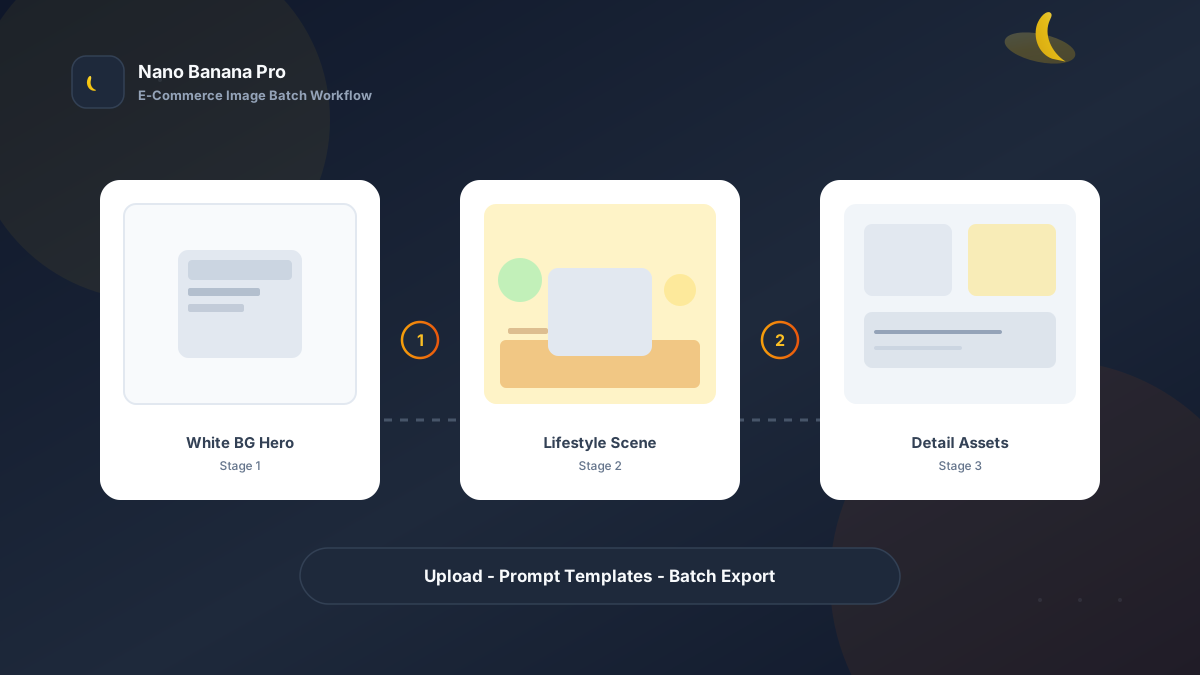
Nano Banana Pro E-Commerce Product Image Batch Workflow
If you sell cross-border or domestic e-commerce, you know this rhythm: a new listing needs 5 hero images, 3 lifestyle sets, and 1 full detail-page asset pack—studio slots booked until next Monday, retouchers charging per image, and your team still patching visuals the night before a sale. Nano Banana Pro paired with Nano Banana image-to-image and text-to-image can compress “shoot a product set” into a standard flow: upload reference → apply template prompts → batch export. This article gives you a battle-tested e-commerce product image batch workflow, from white-background heroes to lifestyle scenes and detail assets.
Why E-Commerce Sellers Need a Batch-Replicable Image SOP
The bottleneck in traditional product photography is not the camera—it is non-reusable one-off decisions: lighting, background, and props must be renegotiated for every shot; as SKUs multiply, cost scales linearly. AI image generation with a casual one-line prompt often leads to product distortion, blurred logos, and wrong materials.
Nano Banana Pro builds on the fast generation experience of the Nano Banana line and is better suited for commercial use cases that need stable composition, clear materials, and readable text. When you split requirements into three fixed outputs—white-background hero, lifestyle scene, detail-page supplement—and prepare structured prompt templates for each, you can batch produce like an assembly line instead of re-rolling every image.
Workflow Overview: Three Image Types, Three Templates
Run in this order; each stage’s output can serve as reference for the next, reducing product shape drift:
| Stage | Output Type | Typical Use | Core Constraints |
|---|---|---|---|
| 1 | White-background hero | Platform main image, SKU thumbnail | Accurate product outline, no distortion, pure white background |
| 2 | Lifestyle scene | Detail page mood, ad campaigns | Keep product subject; scene matches category tone |
| 3 | Detail / composite | Selling-point breakdown, size comparison | Clear close-ups; reserved space for text overlays |
Stage 1: White-Background Hero (Platform Compliance + Conversion)
Use for: Amazon main image rules, Taobao 800×800 white background, DTC product cards.
Key steps
- Upload a phone snapshot or old hero as reference (messy background is fine).
- Use image-to-image at moderate strength to avoid over-painting and product distortion.
- Export with a unified crop ratio (1:1 or 4:5) per platform requirements.
Process the uploaded product photo into a professional e-commerce white-background hero image: product [product name and category] fully preserved in the center of the frame, clear outline with no cropping, do not alter product shape, proportions, colors, or brand Logo placement;

Background pure white #FFFFFF, no shadow bleeding on edges, product base may have slight natural contact shadow;

Lighting studio softbox effect, even with no overexposure, material details clearly visible ([material description, e.g. brushed metal / matte plastic / glass reflection]);

Style: premium e-commerce catalog photography, 8K clarity, suitable for [platform name, e.g. Amazon / Taobao] main image requirements.
Pro tip: For transparent or reflective products, specify in [material description]: “preserve real refraction and highlights, avoid plastic look.” In Nano Banana Pro, pairing with “do not alter product shape” constraints yields noticeably higher pass rates than unstructured prompts.
Stage 2: Lifestyle Scenes (Click-Through and Dwell Time)
White-background heroes solve compliance; lifestyle scenes solve imagination. Buyers need to see the product in their own life.
Based on the uploaded white-background product image, generate a lifestyle scene: product [product name] as the main subject, position and proportions consistent with the white-background image, no distortion;

Scene setting: [usage scene, e.g. modern kitchen counter / outdoor camping table / minimalist study desk], time [morning / afternoon / evening], lighting [natural window light / warm ambient lamp];

Props and palette: add only a few category-relevant props (no more than 3), overall tone [warm/cool description], style [Nordic minimal / Japanese fresh / understated luxury];

Commercial ad quality, natural depth of field, product in sharp focus, background moderately blurred, suitable for e-commerce detail page second screen and social media ads.
Nano Banana multi-turn dialogue shines here: first pass sets overall mood, second pass says “enhance countertop wood grain” or “reduce background clutter”—more efficient than rewriting from scratch.
Stage 3: Detail-Page Assets (Selling Points + Comparison Shots)
Detail pages need images that communicate clearly: size comparison, feature close-ups, bundle sets. Continue with image-to-image, or generate infographic backgrounds with text-to-image and composite products in Nano Banana Pro.
- Size reference shot: place common reference objects beside the product (phone, cup; avoid infringing hand gestures—use ruler props instead).
- Feature close-up: prompt emphasizes “macro” and “focus on [button / port / fabric texture]”.
- Bundle composite: combine multiple white-background product shots; prompt specifies “same lighting, same floor reflection”.
Generate an e-commerce detail-page selling-point image: main subject [product name], composition [centered / rule of thirds], macro close-up of [specific part], clean gradient background, reserve top 20% for later text overlay;

Keep product color and Logo consistent with the main image, no artistic distortion; sharp quality, suitable for mobile long-scroll detail pages.
Brand Consistency: Multi-SKU Without “Every Image Looks Like a Different Brand”
The most common batch failure is style drift: SKU A runs cool, SKU B warm, SKU C looks like another brand shot it. When launching a series with Nano Banana Pro, lock these parameters:
- Same lighting description: e.g. all SKUs use “45° soft key from left, fill card on right”.
- Same scene family: kitchen line always “marble counter + wood cabinets”; outdoor line always “light gray concrete + greenery”.
- Fixed suffix line: append to every prompt “consistent with Nano Banana brand e-commerce visual standards: high clarity, authentic materials, no oversaturation”—easy for teams to share templates.
If your team has a mood board, upload a target style reference to Nano Banana image-to-image first, then batch extend with “replace product only, keep lighting and palette”.
Batch Execution Checklist (Print-Ready for Ops)
Count backward from launch day; recommended rhythm:
| Day | Task | Tool |
|---|---|---|
| D-3 | Collect live shots / supplier originals; standardize SKU naming | Cloud drive |
| D-2 | Batch white-background heroes (Template 1) | Nano Banana Pro |
| D-2 | Spot-check 20% of SKUs; full export after confirming no distortion | Human + AI |
| D-1 | Lifestyle scenes (Template 2) + detail close-ups (Template 3) | Nano Banana |
| D-0 | Crop, compress, upload to platforms; main-image A/B testing | Platform backend |
Efficiency benchmark: once fluent, ~4–6 generations per SKU across all three image types (including tweaks)—far faster than half a day of traditional photography per SKU. Pre-sale image updates for 50 SKUs can reach first-draft quality in 1–2 business days with the Nano Banana Pro batch workflow.
Case Study: Home Storage Box From Snapshot to Multi-Platform Launch
A DTC seller provided one messy-background phone shot and needed Amazon + storefront assets within a week.
- Input: Standard JPEG, background cluttered with cardboard and desk items.
- Step 1: Stage 1 template for white-background hero—clean edges, readable logo.
- Step 2: Use white-background as reference; generate 2 Nordic study-shelf lifestyle scenes.
- Step 3: Generate 2 detail shots: “size vs magazine” and “drawer pull-out close-up”.
- Output: 5 upload-ready images, entire pipeline in Nano Banana, no studio visit.
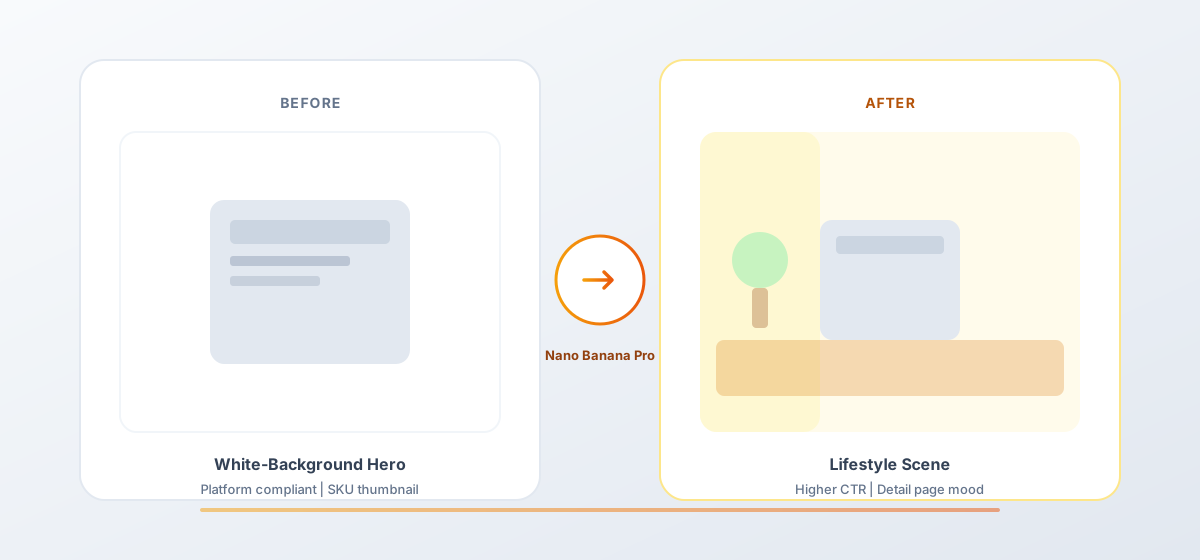
Seller feedback: lifestyle CTR ~18% higher than pure white-background heroes (in-site A/B), at less than one-tenth traditional photography cost. That is the measurable upside of structured prompts plus stable Nano Banana Pro image-to-image.
Conclusion: Save Creativity for Merchandising, Repetition for the Workflow
E-commerce competition is ultimately about speed and consistency. When product image production shifts from project-based to template-based, teams can focus on sourcing, copy, and media buying. Nano Banana Pro and Nano Banana fit as the execution engine for this SOP—not replacing brand taste, but making taste reproducible.
Next time new stock arrives, open the three templates, swap [bracket] placeholders for your category terms, and batch in Nano Banana as easily as filling a form.
FAQ
Q: Will white-background heroes be flagged as non-authentic photos?
A: Platform rules vary. Keep original live shots for traceability; use AI to optimize lighting and background. This workflow is “live reference + Nano Banana Pro image-to-image enhancement”—verify compliance against latest platform policies yourself.
Q: Multiple SKU colors—need a separate reference shot per color?
A: Strongly recommend at least one reference per colorway, or specify in prompt “product color is [color code / Pantone].” Text-only recolor often causes color-mismatch complaints.
Q: How do Nano Banana and Nano Banana Pro divide work?
A: Nano Banana for quick scene trials and multi-turn tweaks; Nano Banana Pro when you need higher material fidelity, complex layout, or team batch hero production. Templates work in both—choose by account access.