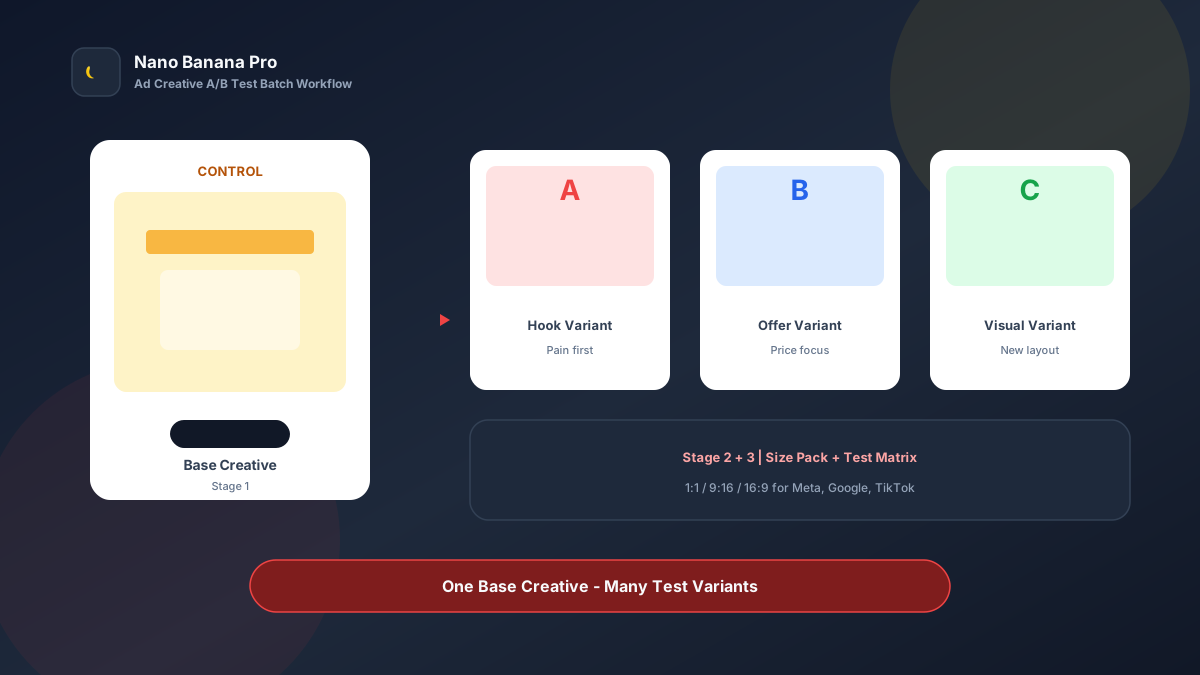
Nano Banana Pro Ad Creative A/B Test Batch Workflow
The bottleneck media teams know best is not “no budget”—it is creatives that cannot be tested fast enough. The same hero visual must test pain hooks, price hooks, and social-proof hooks, while shipping 1:1, 9:16, and 16:9 at once. Design queues stretch three days and the test window is gone. Nano Banana Pro with Nano Banana img2img turns “one Control creative + three template prompts” into a replicable ad creative A/B test batch workflow: lock the Control first, then batch variants and size packs. This article covers the full SOP.
Why Ad Creatives Must Prioritize a Control?
Many teams launch eight totally different images at once and cannot attribute results: did the hook win, or the composition? Scientific A/B testing requires changing one key variable at a time. Without a stable Control, more variants only add noise.
Nano Banana Pro builds on the fast generation experience of Nano Banana and suits ad cases that need stable composition anchors, readable large headlines, and consistent brand colors. Split the flow into three steps—Control creative → single-variable variant matrix → multi-size delivery pack—and you batch-produce measurable creatives like a lab bench, not a lottery reroll every image.
Workflow Overview: One Control, Three Output Types
Follow strict order: after the Control is signed off, all variants use it as reference so everything except the test variable stays consistent. The three prompt templates below can be copied into Nano Banana or Nano Banana Pro—replace [brackets] with your product and test details.
| Stage | Output Type | Typical Use | Core Constraints |
|---|---|---|---|
| 1 | Control creative | Baseline CTR / CPA | Lock composition, product, brand colors |
| 2 | A/B/C single-variable variants | Hook copy, Offer, layout tests | Change one variable at a time |
| 3 | Multi-size delivery pack | Meta / Google / TikTok | Adapt ratios; keep information intact |
Stage 1: Control Creative (Single Source of Truth)
Use for: app install, ecommerce conversion, SaaS leads, brand campaigns—any paid test that needs fast creative cycles.
Key steps
- Define product selling points, primary CTA, brand colors, and banned claims (false comparisons, exaggerated promises).
- Generate a 1:1 or 4:5 Control image as the sole reference for later variants.
- Archive with a version name (e.g.,
ad-control-v1.png); do not mix old versions during the test cycle.
Generate a paid-ad Control creative, ratio 4:5, product [Product name] centered or on the right, brand primary color [HEX];

Headline must be clearly readable: "[Control hook copy]", subcopy: "[One-line benefit]", bottom CTA button "[Try now / Buy now]";
Clean composition, accurate product silhouette, no cluttered background; style [minimal tech / ecommerce promo / lifestyle];
Quality suitable for Meta and TikTok ads, overall tone consistent with Nano Banana brand ad standards: high contrast, readable text, no excessive effects.
Pro tip: Get information hierarchy right once at Control stage. Variants only change the hook or layout—do not pack every selling point here. In Nano Banana Pro, img2img from Control is noticeably more consistent than pure txt2img rerolls.
Stage 2: Single-Variable Variant Matrix (Change One Thing)
After Control is locked, batch-generate A/B/C by test hypothesis. Three common variable types:
- Hook copy variants: pain / benefit / social proof
- Offer variants: discount / limited time / free trial
- Layout variants: product left / right / big-type led
Based on the uploaded ad Control image, generate A/B test variant [A / B / C]: must keep product look, brand colors, and overall composition skeleton identical; do not change the product or style system;

This variant only changes [hook copy / Offer info / layout focus] to: [new hook or new Offer or new layout notes];
Keep other elements (Logo position, CTA button shape, product scale) consistent with Control;
Output ad-grade clarity suitable for Nano Banana Pro batch test creative production.
Nano Banana multi-turn dialogue works well for micro-fixes: “make the headline 10% larger” or “make the CTA a more vivid orange”—faster than rewriting the full prompt.
Stage 3: Multi-Size Delivery Pack (Tests Must Cover All Placements)
After variants are locked, extend to platform specs—avoid rebuilding composition per size, which invalidates the test. Prepare at least:
- 1:1: feed square
- 9:16: Reels / Stories / TikTok
- 16:9 or 1.91:1: horizontal display and some search-linked creatives
Based on the uploaded ad creative, adapt to [target ratio: 1:1 / 9:16 / 16:9] delivery size;

Strictly keep headline "[hook]", product subject, CTA copy, and brand colors; only adjust crop and whitespace for the target ratio;
[9:16 only] Keep key info clear of top 12% and bottom 18% UI safe zones;
[16:9 only] Strengthen left-right information zones; avoid text hugging edges;
Output ready to upload to ad managers, style consistent with Nano Banana ad creative standards.
Brand Consistency: Variants Must Not Look Like Five Brands
The most common batch-ad failure is uncontrolled variables—you change the hook and the product lighting and Logo drift too. When building test matrices in Nano Banana Pro, lock these habits:
- Same Control as sole reference: all variants and sizes img2img from one source file
- Test log: record “Variant A = headline only changed to XXX” for easy review
- Fixed suffix line: “Consistent with Nano Banana ad creative standards: high contrast, readable large headline, stable brand colors”
To test a totally different visual direction, open a new Control-v2—do not change five variables on the old Control at once.
Batch Checklist (Countdown to the Test Window)
Use this reverse timeline to ship a creative test on schedule:
| Day | Task | Tool |
|---|---|---|
| D-4 | Define test hypothesis and success metrics (CTR / CPC / CPA) | Media docs |
| D-3 | Generate Control creative (Template 1), internal review | Nano Banana Pro |
| D-2 | Generate A/B/C single-variable variants (Template 2) | Nano Banana Pro |
| D-2 | Extend 1:1 / 9:16 / 16:9 size pack (Template 3) | Nano Banana |
| D-1 | Name, archive, and upload to ad manager | Ads Manager |
| D-0 | Launch small-budget test; read results after 48–72 hours | Media |
Efficiency reference: Once fluent, one test with 1 Control + 3 variants + 3 sizes each takes about 12–16 generations (including tweaks) and can finish first drafts in half a day. Before big sales, run three parallel hypotheses—the Nano Banana Pro batch workflow significantly cuts creative wait time.
Case Study: SaaS Lead Ads From Control to Winning Hook
A B2B SaaS team needed to test “efficiency pain” vs “save money” hooks within one week, with limited design capacity.
- Input: product UI screenshot + brand orange/black palette
- Step 1: Stage 1 template produced a 4:5 Control with headline “Cut Reporting Time in Half”
- Step 2: Variant A changed to a pain hook; Variant B to “Save 10 Hours Weekly” benefit hook; Variant C only swapped product left/right layout
- Step 3: Each direction extended to 1:1 and 9:16, uploaded to Meta for a small-budget test
- Output: 10 upload-ready creatives completed entirely in Nano Banana
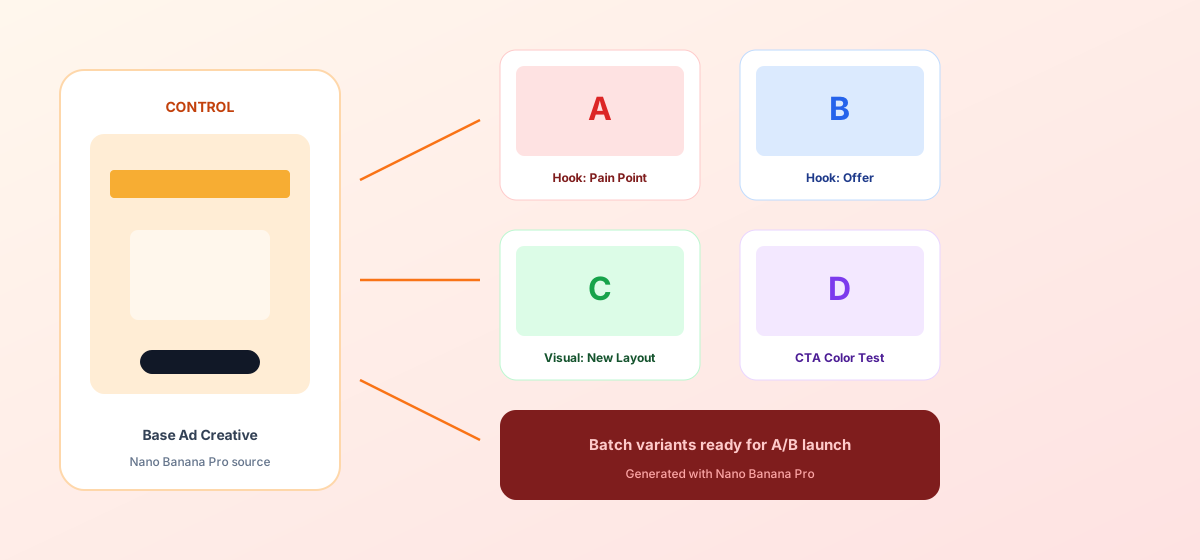
Team feedback: after 72 hours the benefit-hook variant CTR beat Control by about 21%; production cycle shrank from 3 days to half a day. Structured prompts + Nano Banana Pro stable img2img let media teams spend energy on reading data and iterating hypotheses—not waiting for design.
Conclusion: Keep Creativity for Hypotheses, Variants for the Workflow
Ad competition is about test speed and clean attribution. When creative production shifts from “redesign every image” to “Control + single-variable matrix,” teams find scalable hooks faster. Nano Banana Pro and Nano Banana fit this testing SOP as execution engines—they do not replace strategy; they supply enough clean variants for strategy to run.
Before the next test, lock Control first, then open the three templates—you will find ad A/B batch generation in Nano Banana as clear and controllable as filling an experiment sheet.
FAQ
Q: Can I change headline and colors at the same time?
A: Not recommended. Changing multiple variables makes results unattributable. Use Nano Banana Pro for a single-variable matrix first; after a winner, open a new round for the next variable.
Q: Variant text is blurry or warped—what do I do?
A: Emphasize “large headline clearly readable, high contrast, no decorative fonts” in the prompt, and keep medium img2img strength. Generate page-by-page or variant-by-variant—do not demand the full matrix in one request.
Q: How should Nano Banana and Nano Banana Pro divide work?
A: Nano Banana Pro for Control sign-off and high-demand variants; Nano Banana for size extension and multi-turn tweaks. Templates are shared—pick the entry by account access.