Nano Banana for UI Design
Nano Banana 2 (nanobanana2) helps UI design by turning wireframes or rough sketches into polished layouts, clarifying dark-mode hierarchy, and improving legible text in Chinese UI. This guide covers nanobanana prompts, a practical workflow, and the nanobanana entry link.
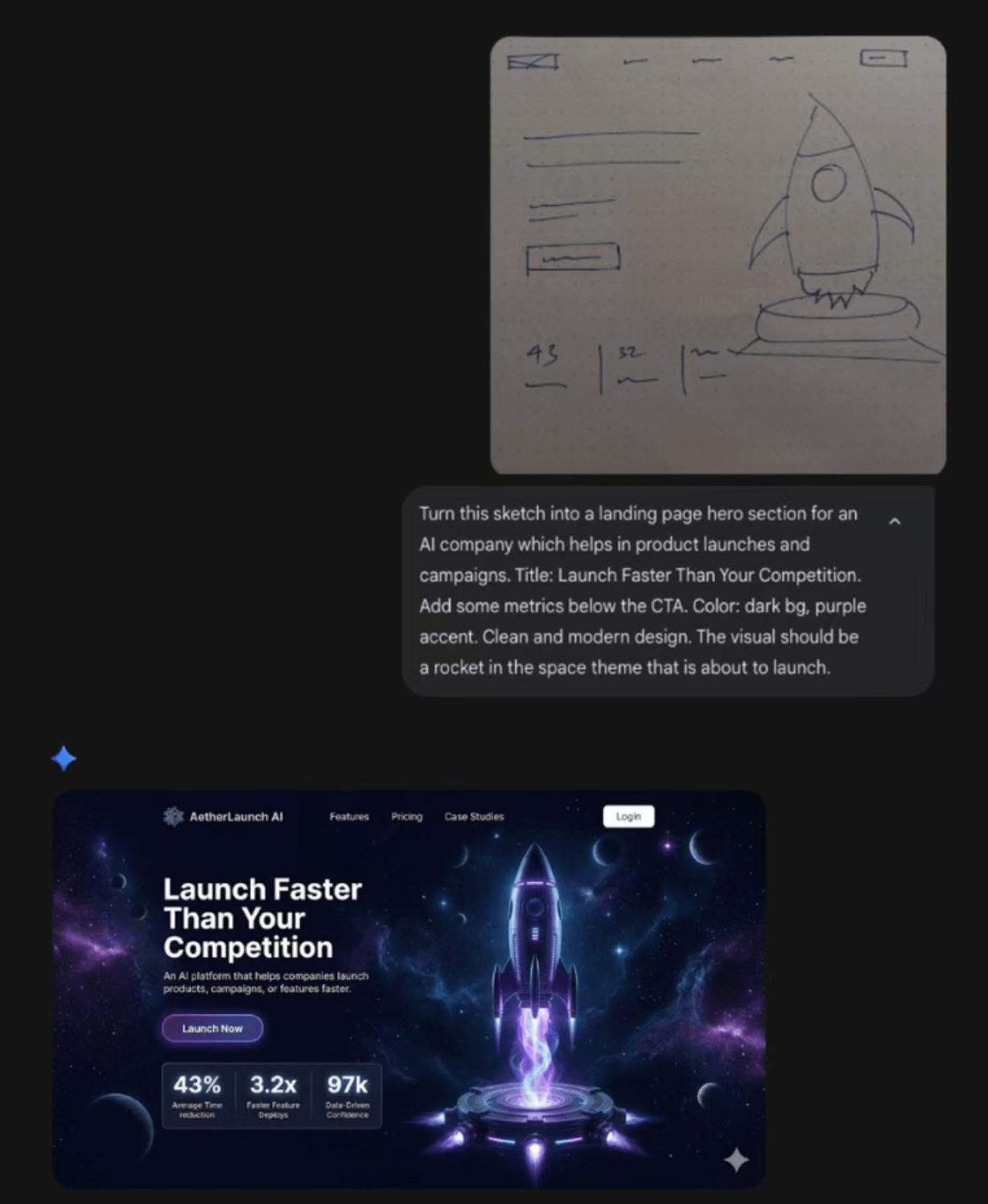
UI tasks nanobanana2 handles well
| Task | Notes |
|---|---|
| Wireframe → hi-fi | Add brand colors and component list |
| Game / tool UI | Strong style keywords + contrast |
| E-commerce hero | glass, liquid, product labels |
| Marketing landing | hero + grid + whitespace |
Prompt structure
- Input type: wireframe / screenshot / sketch.
- Target style: dark SaaS, glass, minimal dashboard.
- Components: nav, hero, cards, table, buttons.
- Text: if Chinese is needed, say “Simplified Chinese UI copy, crisp and readable”.
- Constraints: preserve information architecture; visual polish only.
Game vs enterprise UI
Game UI needs theme, materials, FX; admin UI needs density and alignment. Do not mix conflicting goals in one prompt.
Chinese typography
Specify sans-serif tone, hierarchy, and line spacing. If glyphs are weak, ask to re-render text layer only with layout unchanged.
Working with Nano Banana Pro
Use nanobanana2 for exploration; switch to Nano Banana Pro when you need tighter consistency across a series.