Nano Banana 2 Ultimate Guide: From Sign-Up to Your First Image
Google’s Nano Banana 2 is fast, produces professional-quality images, is affordably priced, and performs excellently in blind tests. This article is the ultimate guide to nanobanana2: from registration to generating your first image, and then exploring practical applications like UI, game UI, LOGO, e-commerce, and poster design.
1. From Sign-Up to Your First Image
- Access: Go to the Gemini website/app or the dedicated Nano Banana 2 page. Log in with your Google account (or choose an integrated domestic platform if available).
- Choose Model: In the image generation section, select Nano Banana 2 (or Fast mode).
- First Image: In the input box, describe the scene in Chinese, e.g., “A cyberpunk Shanghai street scene, puddles after rain, neon light reflections, vertical composition, cinematic quality,” then click generate. Supports multi-turn dialogue for modifications and iterations.
Follow these steps to complete the nanobanana2 journey from registration to generating your first image.
2. Five Pro-Level Use Cases (Including Prompt Ideas)
1. UI Design
Provide a simple hand-drawn wireframe + a few descriptive sentences to generate a landing page with dark mode, featuring clear navigation, main visuals, text, and icon layouts. Ideal for establishing a visual framework in the early stages of a project.
2. Game UI
Describe the game style and requirements (e.g., a dark fantasy interface). Nano Banana 2 can generate stylistically consistent game UI, facilitating rapid concept development.
3. LOGO & 3D Objects
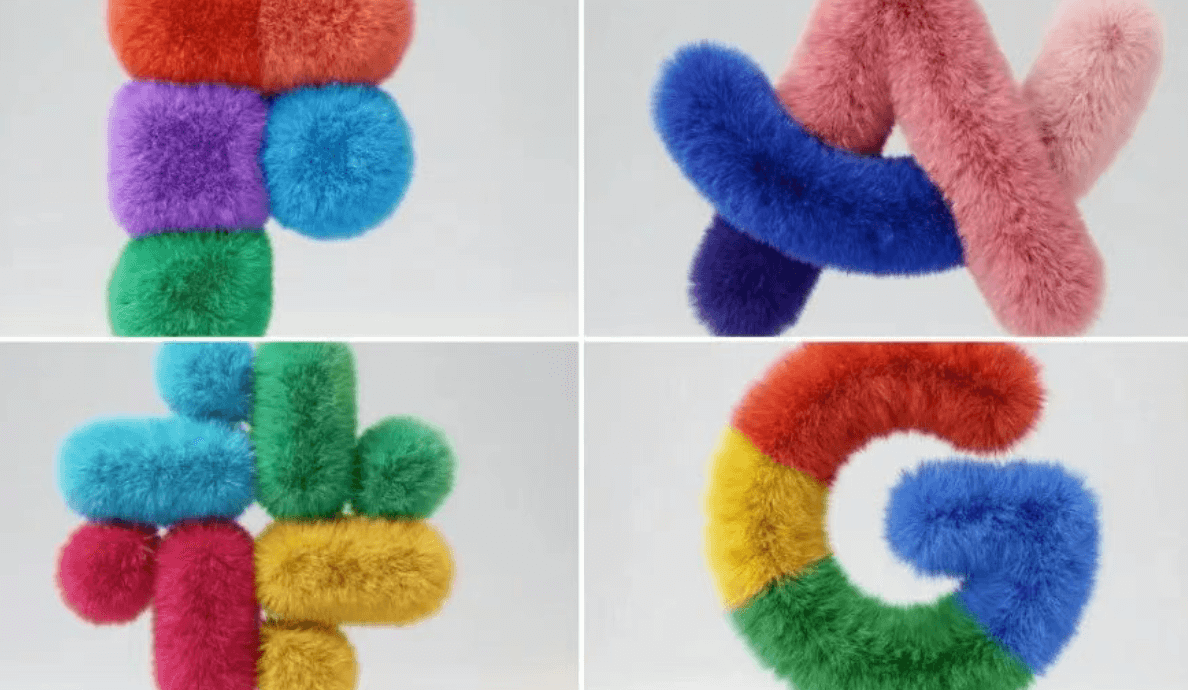
Example prompt idea: Transform a flat vector icon into a soft, fluffy 3D object with the same color scheme, furry texture, light gray background, and studio lighting. Saves time on 3D modeling.
4. E-commerce Design
For product images requiring high detail in glass bottles, liquids, light, and shadow, use detailed prompts describing elements like the bottle, hands, water surface, lotus, and lighting. The model accurately renders label text, making it suitable for main product images and atmospheric posters.
5. Poster Design
Excels in complex textures, lighting, and realistic details compared to its predecessor, making it suitable for event posters, brand visuals, and complex compositions.
3. Usage Tips Summary
- Write prompts clearly: include subject, scene, style, lighting, and resolution/aspect ratio.
- For consistent characters or styles, upload a reference image and specify “keep the character/style consistent.”
- For e-commerce and product images, consider keywords like “luxury product photography,” “studio lighting,” “shallow depth of field.”
Follow this ultimate nanobanana2 guide to go from registration to your first image and then advance to various design scenarios. To start immediately, click the button below.